Build the assessment for your class.
Keep classes, questions, points and expected answers together. Mix multiple choice, written and code answers to suit what you teach.
Multiple choiceWritten answerCode answer
Prepare tests, invite students and review their answers in one place.
Free manual workflow Optional paid AI
Explore the workflow before educator signup opens.

How do shutter speed and aperture shape a photo?
A fast shutter freezes movement. A wide aperture makes the background softer.
Explain how aperture changes depth of field.
Your assessment, from start to finish.
Your questions, invitations and reviews belong together.
Questions, references and variants stay with the assessment.
Set one schedule for the assessment.
Compare each answer with your reference before sharing feedback.
Different subjects. Different ways to answer.
Bring your own questions into one considered workflow.


Same melody.
Two very different voices.

def top_score(scores):
return max(scores)Keep classes, questions, points and expected answers together. Mix multiple choice, written and code answers to suit what you teach.
Prepare each variant’s questions and references before publishing. Edit Variant B while Variant A keeps its original content.
How do shutter speed and aperture shape a photo?
Faster shutter: frozen motion.
Wider aperture: shallower depth of field.
How would you freeze a moving subject?
Choose a fast shutter. Adjust aperture or ISO for exposure.
Choose your variants and availability, then share one link with your students. You can also invite selected students from your class.
One invitation. One shared schedule.
Due marks the target submission time. Closes ends answering.
Students are distributed across A and B as they join.
Students open the invitation, verify their email and start the assessment. Clear saved states and a submission receipt show where their work stands.
How do shutter speed and aperture shape a photo?
A fast shutter freezes movement. A wide aperture makes the background softer.
Answer savedYou’re done. Your teacher will release your results after review.
Read the answer beside your reference, choose points and write feedback. Saving keeps your review private; releasing makes it visible to the student.
How do shutter speed and aperture shape a photo?
A fast shutter freezes movement. A wide aperture makes the background softer.
Connect shutter speed to motion and aperture to depth of field.
Explain how aperture changes depth of field. You described both settings clearly.
Saving keeps the review private. Release results when you’re ready for students to see them.
See counted results, outstanding reviews and how each question performed. Keep unreviewed work separate from graded results.
Select a question to explore its scores.
How would you keep a portrait sharp and blur its background?
Depth of field selected. Average 2.1 out of 5 from 15 graded answers.
| Student | Review | Score |
|---|---|---|
| MMaya | Reviewed | 2 / 5 |
| JJules | To review | Not graded |
| NNoah | Reviewed | 1 / 5 |
| AAmara | Reviewed | 3 / 5 |
| OOliver | Reviewed | 2 / 5 |
| SSofia | Reviewed | 1 / 5 |
| LLeo | Reviewed | 2 / 5 |
| AAisha | Reviewed | 4 / 5 |
| EEthan | Reviewed | 1 / 5 |
| MMei | Reviewed | 3 / 5 |
| LLucas | Reviewed | 2 / 5 |
| IIman | Reviewed | 3 / 5 |
| PPriya | Reviewed | 2 / 5 |
| MMila | Reviewed | 1 / 5 |
| DDaniel | Reviewed | 2 / 5 |
| AAlex | Reviewed | 3 / 5 |
| HHana | To review | Not graded |
| SSam | To review | Not graded |
Compare question performance. Work waiting for review stays out of the averages.
A closer look at the tools you’ll use.
From your students’ answers to the feedback they receive.
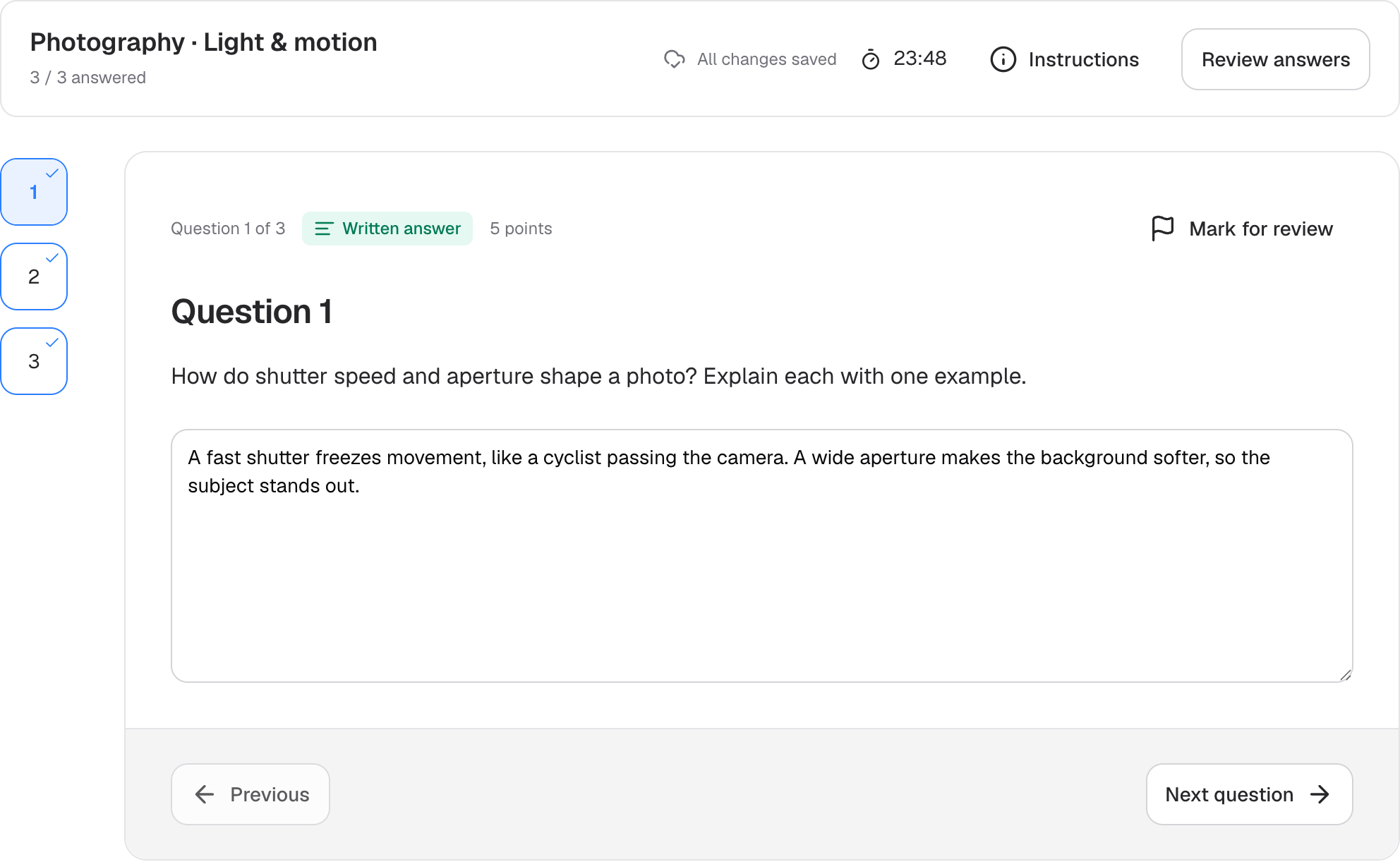
Students can move between questions, write their answers and see when their work is saved.
Open full-size view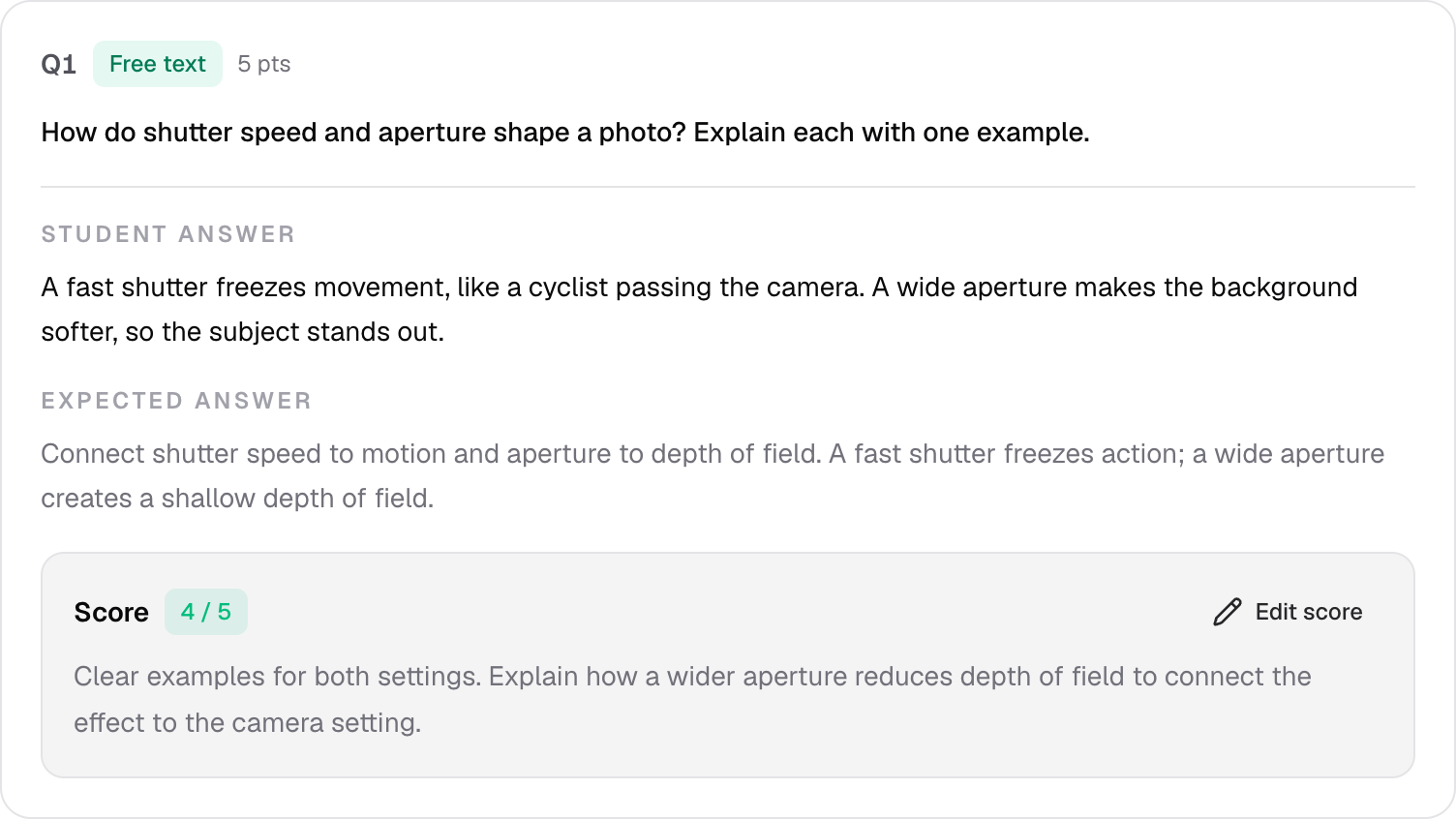
The student’s answer, your reference and your saved points together in the review workspace.
Open full-size viewBring your own expertise. Add optional AI help when a first draft or a second look would be useful.
Batch suggestions cover saved answers without a score, using your published expected answer or rubric. See which answers qualify.
Compare plansDraft a 5-point written question about shutter speed and aperture in photography.
How do shutter speed and aperture shape a photo?
Explain each with one example.
A faster shutter freezes motion. A wider aperture gives a shallower depth of field.
Make it yours. Edit the question and reference before saving your draft.
Starter includes the full manual workflow. Paid plans add optional assistance.
Pricing preview · yearly billing is planned.
Everything you need to prepare, deliver, and review assessments yourself.
Manual questions and review
Document-based question drafts and small-batch answer review.
15 questions per generation · 10 submissions per batch
Draft with your source material, rewrite questions and review submissions in batches.
30 questions per generation · 200 submissions per batch
The same AI tools as Pro, with larger generation, source-file and batch limits.
50 questions per generation · 1,000 submissions per batch
| Per request | Advanced | Pro | Ultimate |
|---|---|---|---|
| Questions per generation | 15 | 30 | 50 |
| Submissions per batch review | 10 | 200 | 1,000 |
| Source files per request | 1 | 5 | 10 |
| Source file size | 5 MB | 10 MB | 25 MB |
Per-request limits are separate from your plan’s AI usage allowance. Advanced TXT sources can contain up to 50,000 characters. Which answers qualify for batch review?
Get notified when educator signup opens.
When signup opens, eligible educators can start a 14-day Pro trial by activating teaching tools. Student participation is free and does not start a trial.
The details that matter before your next assessment.
Participation is free. Students open your invitation, verify their email with a code or use an existing password, then provide their first and last name. A password is optional, and participating does not start an educator trial.
Yes. Invitation links work with an empty roster. Share one variant, or distribute students across your prepared variants as they join. Publishing to selected students requires valid recipients.
Prepare independent variants before publication, then offer later opportunities without replacing previous attempts. Variants can share individual questions. You deliberately choose which completed result counts after a retake.
AI provides optional suggestions for teacher review. Applying a suggestion, saving a grade and releasing results are separate actions. Starter includes manual review. Code responses are reviewed as text, not executed.
Advanced, Pro and Ultimate support batch suggestions for saved, nonempty written or code answers in submitted attempts, without a saved score. Each question needs a published expected answer or rubric. Multiple-choice answers use answer-key checks; missing answers need manual review. You review suggestions before saving or releasing results.
Pro supports up to 30 questions per generation, 200 submissions per batch review and 5 source files per request. Ultimate raises those limits to 50, 1,000 and 10. PDF files can be up to 10 MB on Pro and 25 MB on Ultimate. Both include the same AI workflows; Ultimate gives you more capacity.
Points and feedback remain private while you review. Saving does not release a grade. Students see reviewed results after you explicitly release them.
Eligible educators receive a 14-day Pro trial when they explicitly activate teaching tools after account verification. When it expires, they return to Starter and keep their work.
Have a question about Scorepilot, an idea to share, or a workflow you’d like to discuss? Send us a message.
Your message goes to the Scorepilot team. We’ll reply to the email address you provide.
Be first to hear when educator signup opens. Start with a workflow made for your class.